AirFly Drive Review: Is This Wireless CarPlay Adapter Worth It?
This AirFly Drive review explains its wired CarPlay and Android Auto requirements, two-phone switching, setup, limitations, and who should buy it.
Quick Take
- AirFly Drive turns an existing wired CarPlay or wired Android Auto connection wireless. It does not add either system to a car that lacks it.
- The compact design, automatic reconnection, and button for switching between two paired phones make the strongest case for it.
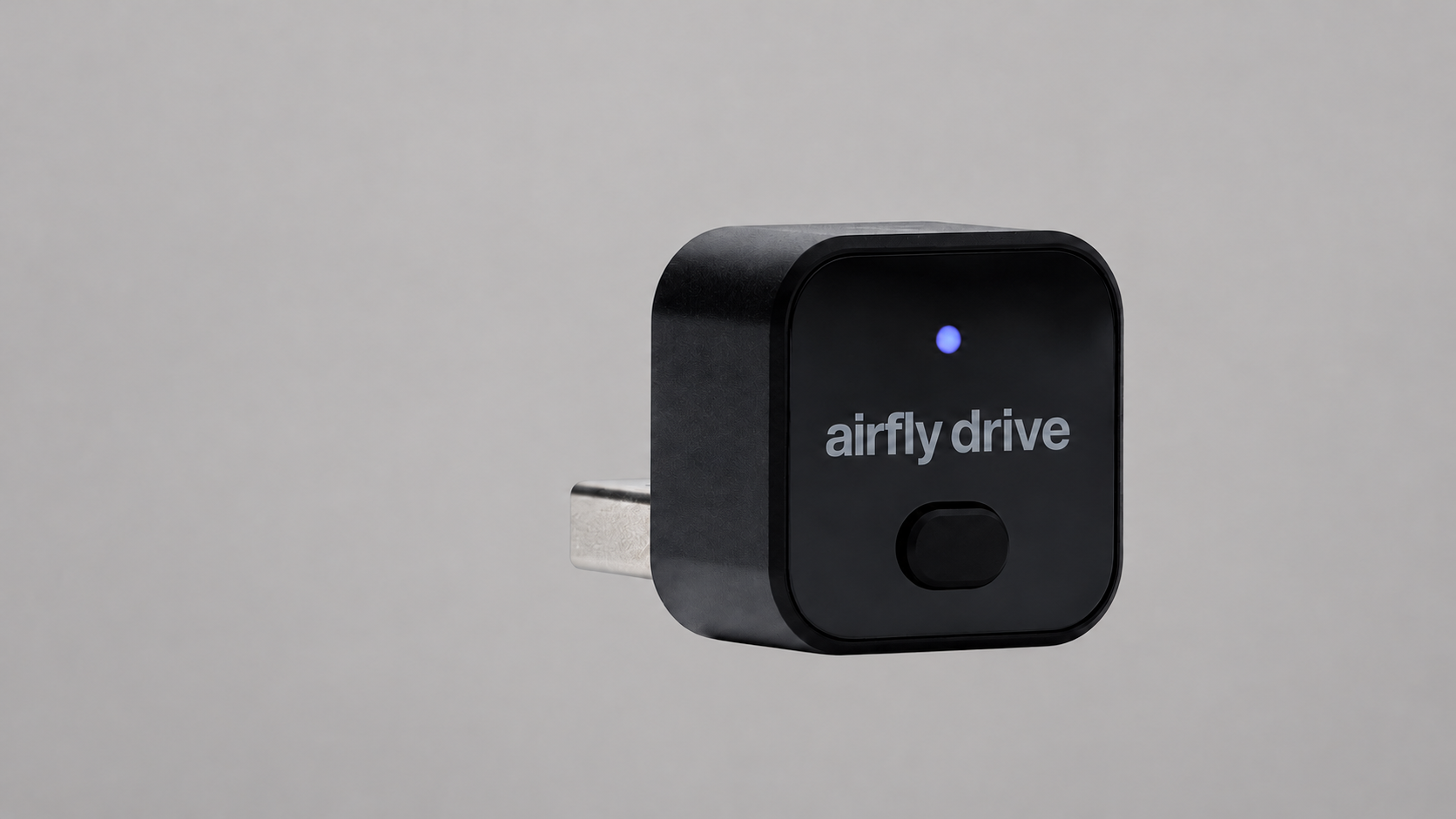
The AirFly Drive is a small, sensible upgrade for one specific kind of car: a vehicle that already has wired Apple CarPlay or wired Android Auto but makes you plug in your phone for every drive.
The short answer: AirFly Drive is worth it if that cable routine annoys you, especially in a shared car. Its automatic reconnection and one-button switching between two paired phones are more useful than a long feature list. It is not a way to add CarPlay or Android Auto to an unsupported vehicle, and it will not work from a charge-only USB port.
At its $39.99 list price, it is inexpensive enough to make sense as a convenience upgrade. Twelve South listed the black model as out of stock on October 8, 2026, though, so treat that as the list price rather than confirmation that it is currently available to order.
What AirFly Drive Actually Does
AirFly Drive plugs into the same media-enabled USB port you currently use for wired CarPlay or Android Auto. It then handles the phone connection wirelessly while keeping the car's built-in display, buttons, and steering-wheel controls in use.
The adapter has a native USB-A plug and includes a USB-A-to-USB-C adapter for newer cars. It draws power from the vehicle, so there is no battery to charge and no separate cable hanging from it. Setup does not require an app or account.
After the first pairing, the adapter uses Bluetooth and Wi-Fi to reconnect when the car starts. That convenience is the entire pitch: your phone can stay in a pocket or bag on short drives instead of being plugged in every time.
AirFly Drive Compatibility
The important compatibility check is not simply whether your vehicle has a USB port. It must already support wired CarPlay or wired Android Auto through that port.
The easiest test is to connect your phone with a known-good data cable. If CarPlay or Android Auto launches on the car's display, AirFly Drive should have the connection it needs. If the port only charges your phone, the adapter will not work there. It is also not compatible with AUX-only stereos.
Twelve South lists support for iPhones running iOS 10 or later and Android phones running Android 11 or later. The company also publishes separate vehicle compatibility lists, but checking your exact car and port with a cable is still the clearest test. Some vehicles have several USB ports and only one of them carries infotainment data.
Setup and Two-Phone Switching
For the first setup, Twelve South recommends removing the car's old Bluetooth pairing from the phone, plugging AirFly Drive into the media port, and following the prompt on the infotainment display. If no prompt appears, opening the CarPlay icon on the car's screen can start the process even when pairing an Android phone.
AirFly Drive remembers the last two phones. It prioritizes the phone used most recently, then can try the other remembered phone if the first does not reconnect. A short press on the front button disconnects the active phone and moves to the other one, provided Bluetooth and Wi-Fi are enabled there.
That button is the feature that separates it from a bare-minimum wireless adapter. A couple sharing one vehicle can switch drivers without deleting pairings or digging through settings each time.
AirFly Drive vs Keeping a Cable
A cable remains the cheapest and most direct option. It also charges the phone while CarPlay or Android Auto is running. AirFly Drive removes the plug-in step, but it does not charge a phone sitting in your pocket. For longer drives, you may still want a separate charger.
The wireless adapter makes more sense for frequent short trips, rental-style handoffs between two regular drivers, or a console where the phone cable is always in the way. If plugging in already feels automatic, there is little reason to add another device.
The aluminum-and-polycarbonate adapter measures 0.89 by 0.89 by 1.06 inches and weighs 42 grams. Its small body should disappear into many consoles, although the included USB-C adapter adds some length in cars without USB-A. Twelve South notes that the aluminum shell can feel warm because it moves heat away from the electronics.
AirFly Drive vs Generic Wireless Adapters
AirFly Drive does not win on an unverified promise of faster pairing or perfect reliability across every vehicle. Its clearer advantages are the dedicated phone-switching button, a published manual and compatibility list, and a two-year manufacturer's warranty.
Long-term connection behavior is still the biggest unanswered question with any new wireless CarPlay or Android Auto adapter. Cars implement their infotainment systems differently, so the model-specific compatibility check matters more than the logo on the box.
Who Should Buy AirFly Drive
Buy it if your car already has wired CarPlay or Android Auto, you make enough short trips to resent plugging in, and you want a simple way to switch between two phones.
Skip it if your car lacks wired CarPlay or Android Auto, its only convenient port is charge-only, or you prefer the charging and direct connection of a cable. It also makes little sense in a vehicle that already has factory wireless CarPlay or wireless Android Auto.
Despite the shared name, AirFly Drive is not an airplane headphone adapter. The AirFly Pro 2 sends audio from a seatback screen to Bluetooth headphones, while AirFly Drive handles phone projection in a car. Our guide to the best airplane Bluetooth adapters covers that separate category.
Affiliate disclosure: We may earn a commission if you buy through our links at no extra cost to you.