AirFly View vs Pro 2: Screen or Longer Battery Life?
Buy the AirFly Pro 2 for longer battery life. Choose AirFly View if seeing headphone names and connection status is worth shorter runtime and a higher price.
Quick Take
- The regular Pro 2 is the better default, with 25+ hours of rated battery life versus up to 16 hours for View.
- View adds a display with guided setup and Auracast mode for compatible listening devices. Both models already support two headphones and TX/RX.
Buy the AirFly Pro 2 unless you specifically want a screen. The AirFly View makes setup more visible, but its rated battery life is much shorter: up to 16 hours instead of the Pro 2's 25+ hours.
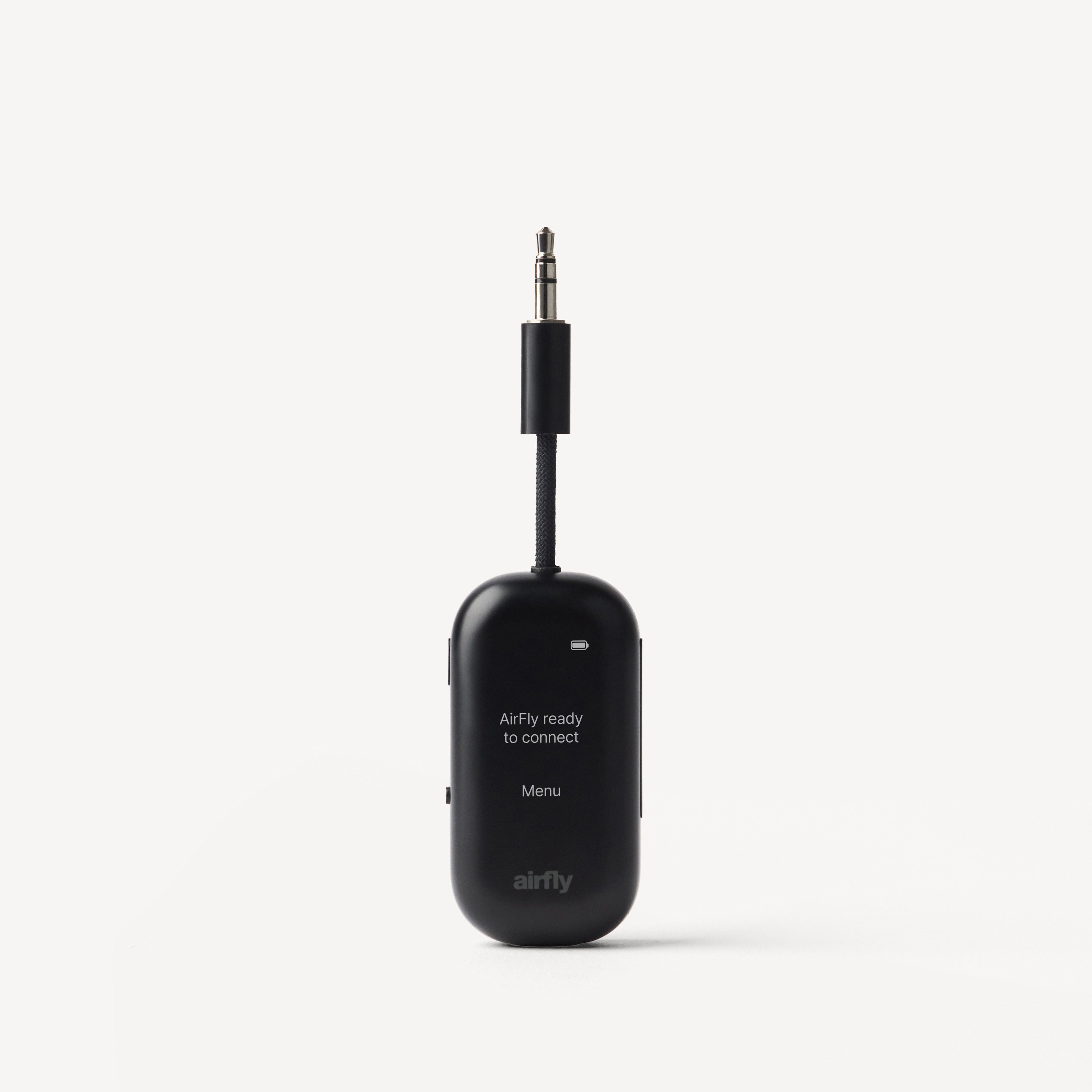
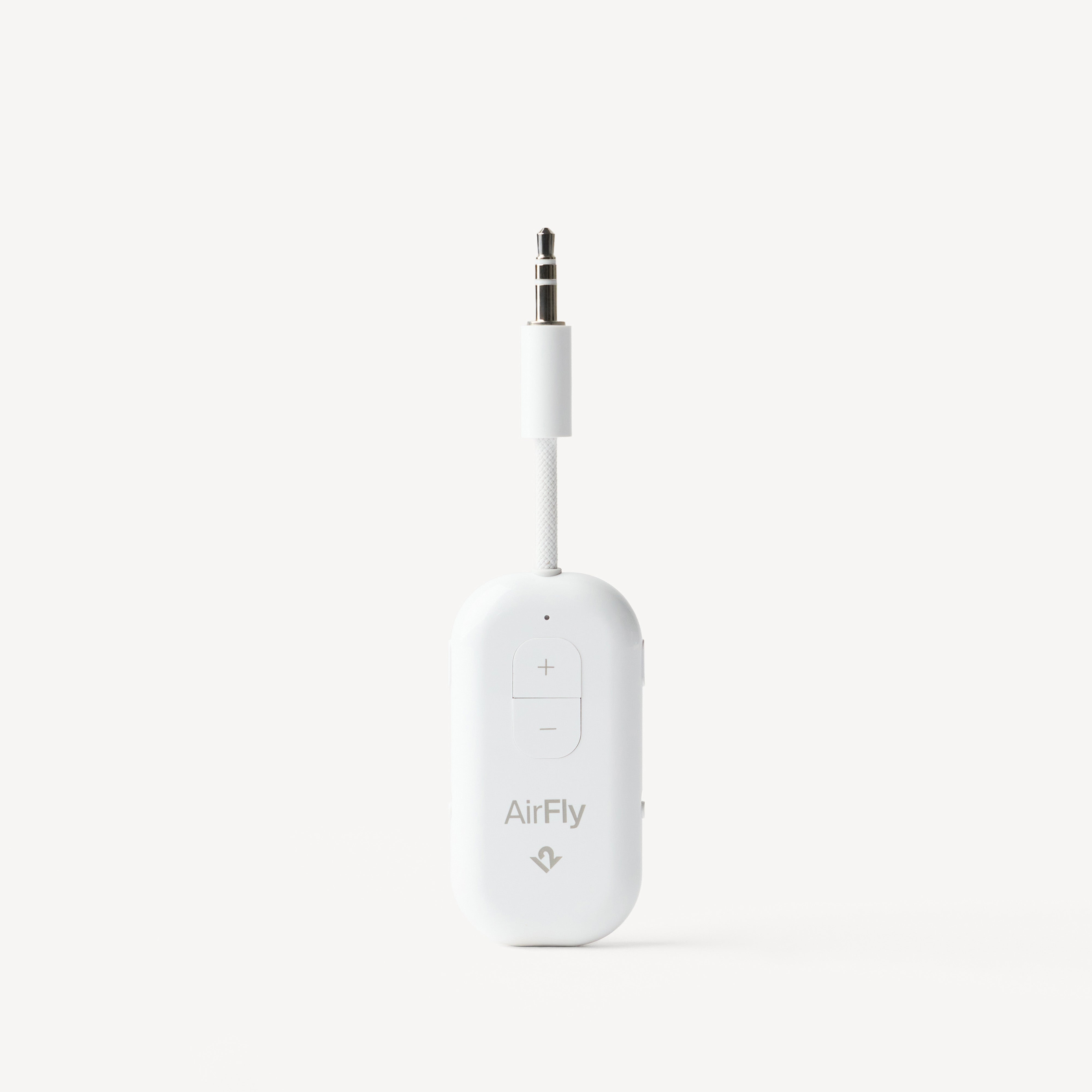
The AirFly View vs AirFly Pro 2 decision is not about getting a second headphone connection or receiver mode. Both already do those jobs. View's real appeal is being able to see which headphones you found, whether they connected, and which mode you are using without interpreting indicator lights.
The differences that matter
| Feature | AirFly View | Regular AirFly Pro 2 |
|---|---|---|
| Rated battery life | Up to 16 hours | 25+ hours |
| Setup and status | Display with headphone names and guided menus | Physical pairing controls and indicator lights |
| Two headphones at once | Yes | Yes |
| Transmit and receive modes | Yes | Yes |
| Charging | USB-C | USB-C |
| Airline adapter and case | Included | Not in the regular package |
Battery figures are manufacturer ratings, not a head-to-head runtime test. View is also the more expensive model; compare the current offers before buying.
Choose View if pairing lights are the part you dislike
View shows available headphone names during setup and confirms a successful connection. Add a second listener through its menu and both names appear on the display. Its guided interface supports 24 languages.
That is useful when you want a clear answer to “did it find my headphones?” rather than another sequence of blinking lights. It does not remove the need to put your headphones into pairing mode or stop them connecting to a nearby phone.
View also puts TX/RX selection in its menu. TX sends seatback audio to headphones; RX receives music from a phone for a wired stereo's AUX input. The Pro 2 handles both directions too, using a physical switch. Buy View for the interface, not because receiver mode is new.
Auracast needs compatible headphones
View has an Auracast mode for broadcast listening with compatible headphones, hearing devices, or speakers. Check the exact listening device's Auracast support before making that your reason to buy. Ordinary Bluetooth compatibility is not confirmation of Auracast compatibility.
AirPods can use View's normal headphone-pairing mode. That is separate from its Auracast feature, and the screen is not evidence of better sound or tighter lip sync. There is no head-to-head performance test here to justify either claim.
Choose Pro 2 if you want to charge less often
The regular AirFly Pro 2 is the more sensible purchase if you are comfortable pairing headphones without a display. You keep two-listener support and receiver mode, while getting much more rated runtime between charges.
That matters on a long itinerary, or if you would rather leave the adapter in your travel pouch between flights than remember to recharge it. View's up-to-16-hour rating may cover your flight; it simply leaves less margin. Both use USB-C, so the choice does not require a different charging connector.
Already own a Pro 2 that pairs reliably? Keep it. View adds a reason to upgrade only if you actually want its screen or have a use for its compatible Auracast mode.
Do the included travel extras change the answer?
View includes an international airline adapter and a travel case. The regular Pro 2 does not. If you know you need a two-prong seat adapter, include that accessory in the price comparison rather than comparing the bare Pro 2 with View's whole package.
The Pro 2 Deluxe is another bundle option, not a screen-equipped Pro 2. It adds the adapter and pouch around the same Pro 2 transmitter. There is still no reason to pay for accessories you will not use.
Bottom line: Get Pro 2 for longer battery life and the lower current price. Get View when seeing device names and connection status is worth paying more and charging sooner. For alternatives outside Twelve South, see the best airplane Bluetooth adapters.
Affiliate disclosure: We may earn a commission if you buy through our links at no extra cost to you.