SSK SD601 vs Lexar Professional Go: Which Tiny SSD?
Both SSDs plug straight into USB-C. Compare the SSK SD601 with the Lexar Professional Go on size, warranty, rated protection, and the optional Lexar hub.
Quick Take
- At a similar price, choose the Lexar Professional Go for its longer limited warranty and optional creator hub.
- Consider the SSK SD601 when its 2TB offer costs meaningfully less and you just want the direct-connect drive.
Choose the Lexar Professional Go if the two cost about the same. Both are tiny SSDs that plug straight into USB-C, but Lexar gives you a longer limited warranty and the option of adding its dedicated creator hub. The SSK SD601 2TB becomes more interesting when its current offer is meaningfully cheaper and you only need the drive.
Neither needs a cable for a direct connection. Neither gets an automatic speed win from the “up to 1050MB/s” number. This comparison is based on published specifications, not a head-to-head transfer or recording test.
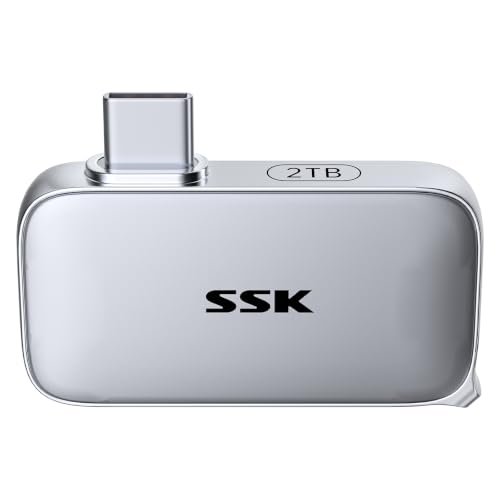
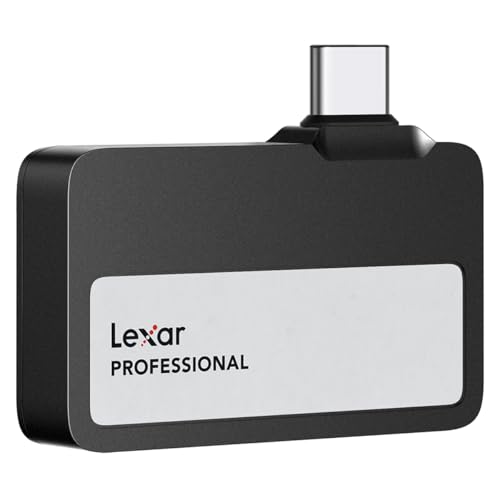
Size is not much of a deciding factor
The SSK measures 46 x 25 x 9mm; the Lexar module is 43.5 x 25.5 x 8.25mm. Both are small enough that phone-case clearance and neighboring laptop ports matter more than these minor differences. Check the fit on your actual device.
Both carry IP65 dust and water-resistance ratings. SSK lists 2m drop protection; Lexar rates the Go for 1m. Those are manufacturer ratings, not a shared drop test. Neither drive should be submerged.
Lexar offers a longer warranty and a separate hub
The Professional Go has a five-year limited warranty, versus three years listed for the SD601. At a similar price, that is the straightforward reason to pick Lexar. It is not proof of a lower failure rate, and neither warranty replaces a backup.
Lexar also sells a separate hub bundle with four USB-C ports for phone-shooting setups that need more than storage. The standalone SSD linked here does not include that hub. SSK includes an angled adapter, which changes how the drive sits but does not add ports.
If you only copy files between a phone and laptop, the hub may not matter. If you plan to connect more accessories while filming, it gives the Lexar a useful expansion option.
The speed numbers do not settle this
Lexar specifies up to 1050MB/s read and 1000MB/s write. SSK advertises up to 1050MB/s, but separately gives a lower long-write figure. Neither specification proves a head-to-head performance win.
For iPhone recording, sustained write speed and power draw matter more than the peak number. Our SD601 buying guide explains why its rating is not proof of 4K120 ProRes readiness. We have not validated either drive for that mode.
The bottom line
Get the Lexar Professional Go at a similar price for the longer warranty and optional hub. Get the SSK SD601 when its 2TB offer is substantially cheaper and you just want the direct-connect drive. There is no verified speed advantage here that justifies paying extra for the SSK.
Read the Professional Go overview for more on the Lexar, or see the portable storage shortlist for other formats.
Affiliate disclosure: We may earn a commission if you buy through our links at no extra cost to you.