XTEINK X4 Pro vs X4 Classic: Which One Should You Buy?
The XTEINK X4 Pro adds a front light and touchscreen for night reading. The X4 Classic is thinner and lighter. Here is which pocket reader to buy.
Quick Take
- Buy the X4 Pro if you read after dark. Its front light matters more than the four grams you save with the Classic.
- Buy the X4 Classic (X4 V2) if you want the thinnest version and already have enough light wherever you read.
- Both have 4.3-inch screens and use magnetic charging adapters. Neither is an automatic substitute for your Kindle library.
The Bottom Line
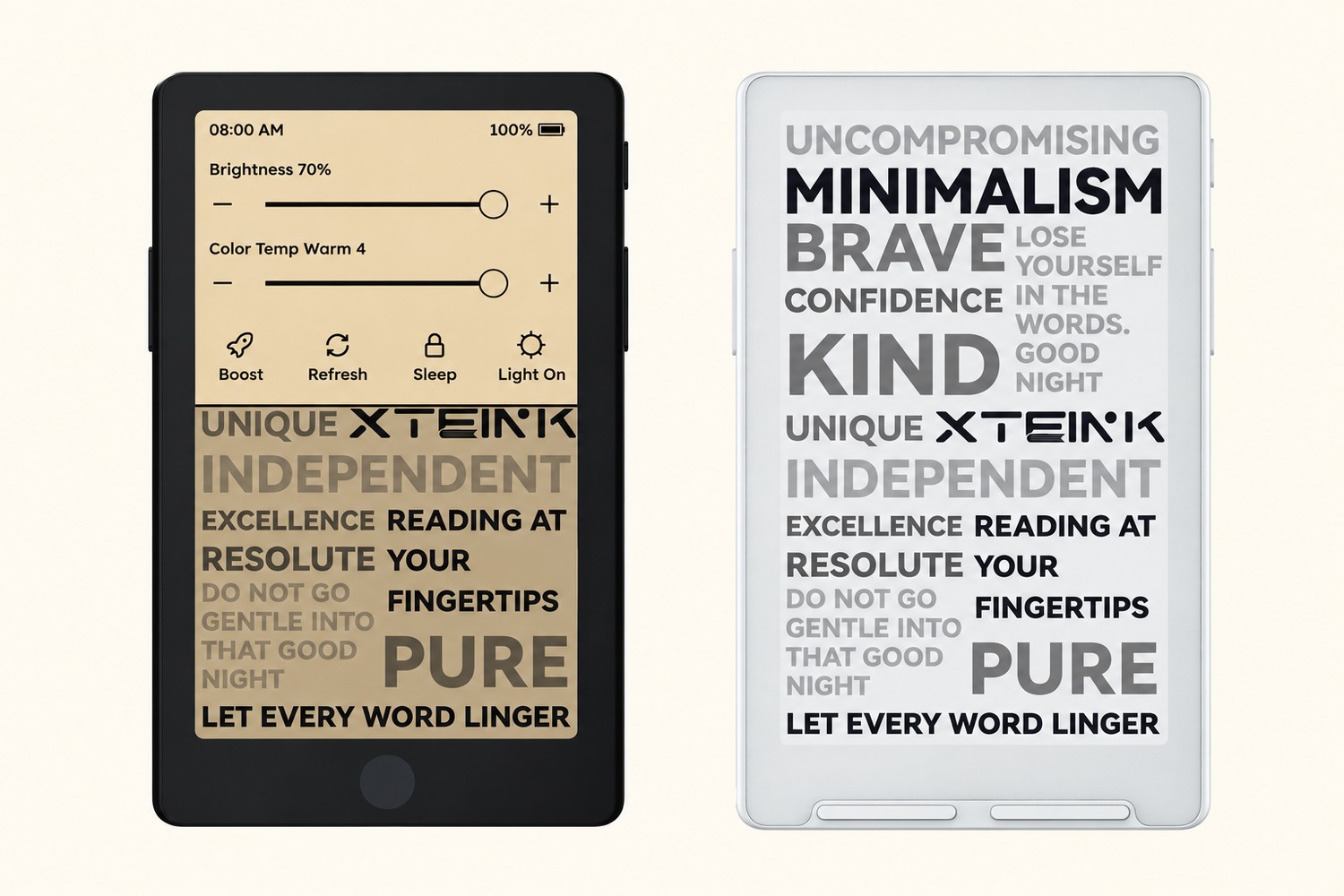
Buy the XTEINK X4 Pro if this will be your travel reader. A pocket e-reader is less useful if you stop using it as soon as the cabin lights go out. The Pro's built-in front light fixes that, and you still get physical page-turn buttons alongside its touchscreen.
Buy the X4 Classic if you only read in good ambient light and want the thinnest one. It saves four grams and just over a millimeter of thickness. That is a real packing advantage, but not one worth giving up night reading for unless you know you will not use it.
This is a specification-based buying comparison, not a hands-on test. The recommendations assume your books are compatible with XTEINK's file-loading system.
First, make sure you are comparing the right X4
The X4 Classic is also called the X4 V2. It is not simply another name for the original 77g X4 covered in our original XTEINK X4 article. The Classic weighs 68g and uses pogo-pin charging; an old X4 listing or review can describe different hardware.
Our X3 vs original X4 comparison covers that earlier choice. Here, the decision is between the current X4 Pro and X4 Classic, both with a 4.3-inch display.
X4 Pro vs X4 Classic at a glance
| Feature | X4 Pro | X4 Classic / X4 V2 |
|---|---|---|
| Display | 4.3-inch E Ink, 219 PPI | 4.3-inch E Ink, 219 PPI |
| Built-in front light | Yes; warm/cool adjustment | No |
| Controls | Touchscreen and physical buttons | Physical buttons; no touchscreen |
| Dimensions | 111 × 69 × 5.95 mm | 114 × 69 × 4.9 mm |
| Weight | 72g | 68g |
| Battery capacity | 1100mAh | 920mAh |
| Included storage | 16GB microSD; up to 256GB | 16GB microSD; up to 256GB |
| Book transfer | App, microSD, USB mode | App, microSD |
| Charging connection | Pogo pins and magnetic adapter | Pogo pins and magnetic adapter |
XTEINK's current model comparison confirms there is no larger screen to buy here: the reading area and listed pixel density are the same. Its upgrades are lighting and controls, not more room for text.
The Pro is the one for night flights and hotel rooms
The front light is the reason to choose the Pro. It lets you keep reading when an overhead light is inconvenient or your hotel bedside lamp is on the wrong side of the bed. Its brightness and warm/cool adjustment are documented in XTEINK's Pro FAQ.
Touch navigation is the other useful addition. You can select books and settings directly, then use the physical buttons for page turns. You are not trading away buttons to get touch.
Neither feature makes the screen bigger. If you need large type with lots of text on each page, both models still ask you to accept a small reading area. The Pro solves the lighting problem, not the limitations of a 4.3-inch display.
The Classic makes sense when the light is already there
The Classic is the better fit for a coffee shop, a bright train carriage, or a few pages outside while waiting to board. At 4.9mm thick it is slimmer than the 5.95mm Pro, though its body is slightly taller. Both have magnetic backs; that is not a Pro-only upgrade.
Its physical controls also suit someone who wants to turn pages without touching the screen. But there is no built-in light to turn on later. If you end up adding a separate reading lamp, compare the whole kit rather than celebrating the four-gram saving on the reader alone.
Pack the charging adapter, not just a USB cable
Both current models list pogo-pin ports and an included magnetic charging adapter. Do not assume either has the original X4's direct USB-C connection. Put the adapter in your charging pouch before a trip.
The Pro also has a documented USB file-transfer mode. That is a transfer feature, not evidence of a USB-C socket on the reader. XTEINK's user-guide center has separate manuals for the Pro, Classic, and original X4; use the one matching your hardware.
The Pro has the larger battery capacity, but that alone does not establish longer runtime. Front-light settings, wireless use, and reading time change the result. There is no comparable battery test here that justifies promising a certain number of travel days from either one.
Check your book library before picking either
Both detailed product specifications list EPUB and TXT for documents. XTEINK's broader format guidance recommends conversion for files such as PDF and MOBI rather than treating every format as equally supported. Reflowable text is the sensible starting point; neither tiny screen is an obvious choice for full-page documents or detailed comics.
Do not assume that owning books in a Kindle account means you can copy them over. XTEINK's Pro FAQ specifically advises checking compatibility for store-specific formats and DRM-protected books. If your reading depends on one store or subscription, establish how your actual books will work before ordering either model.
Which one should you buy?
Get the X4 Pro for mixed day-and-night travel reading. The front light is a practical capability the Classic cannot match, and the touchscreen is a useful extra without sacrificing page buttons.
Get the X4 Classic for the slimmest daylight reader. It is a deliberate choice for someone who wants that thinner body and does not need lighting, not the default recommendation for every traveler.
If neither sounds small enough, the XTEINK X3 guide covers the smaller-screen alternative. Otherwise, choose your X4 around where you read and whether your books work—not the name alone.
Affiliate disclosure: We may earn a commission if you buy through our links at no extra cost to you.