Best USB-C Travel Power Strips in 2026
The best USB-C travel power strips in 2026, with a compact 70W pick for most travelers and a 140W option for higher-power laptops.
Quick Take
- The Belkin SRZ002 70W is the best USB-C travel power strip for most people because it is compact, includes a built-in USB-C cable, and still gives you two AC outlets.
- Choose the Anker Prime A9128 when one 140W laptop or two 65W laptops matter more than the smallest footprint.
- Skip a power strip entirely if every device in your bag charges over USB-C; a wall charger or USB-only station is easier to justify.
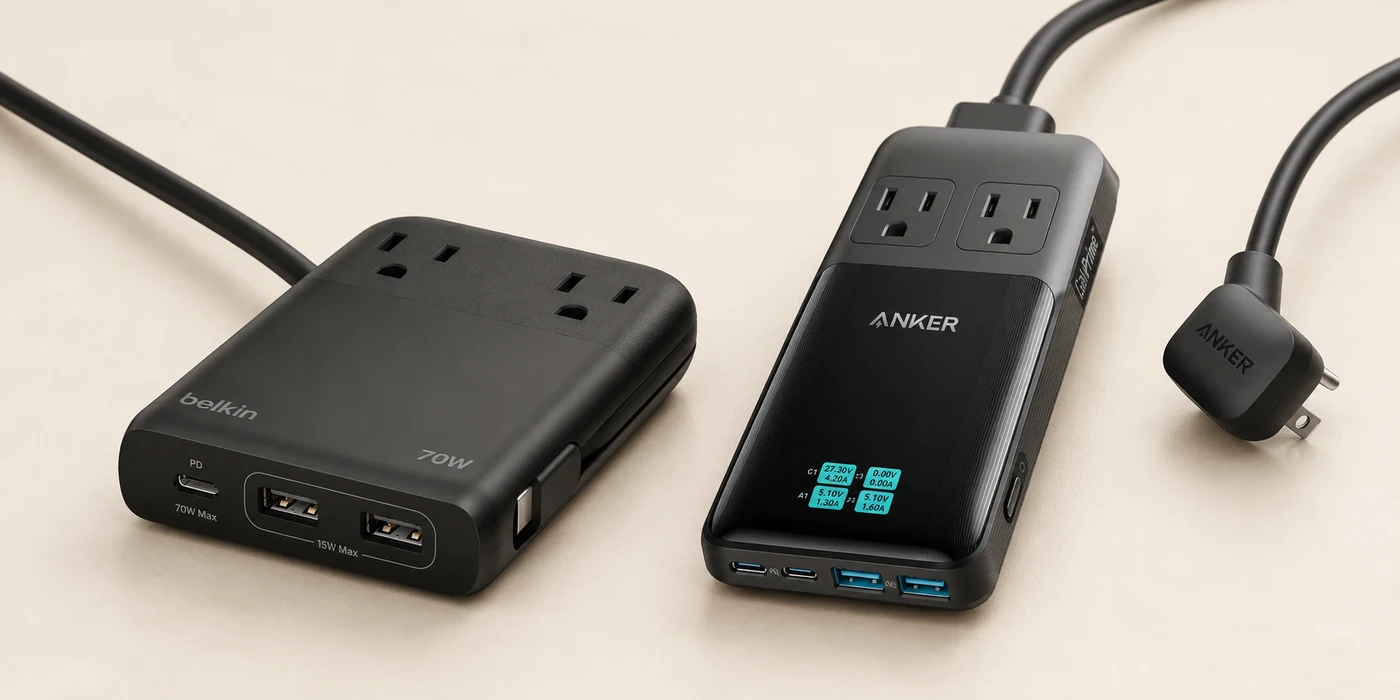
The Belkin SRZ002 70W is the best USB-C travel power strip for most people who actually need one. It gives you a five-foot cord, two AC outlets, laptop-capable USB-C charging, and a built-in USB-C cable in a body that is easier to pack than most desktop charging stations.
The Anker Prime A9128 140W is the better choice for a power-hungry laptop or two-computer setup. It can send 140W to one USB-C port or 65W to each of its two USB-C ports at the same time, but its longer body and extra weight make it harder to justify for a phone-and-tablet kit.
These are the only two strips we would buy in this category. Most travelers should still take a compact USB-C wall charger instead. A power strip earns its place only when you need AC outlets, a long cord, or both.
USB-C Travel Power Strips Compared
| Model | USB charging | AC outlets | Size and weight | Best for |
|---|---|---|---|---|
| Belkin SRZ002 | 70W shared; 1 USB-C port, built-in USB-C cable, 2 USB-A | 2 | 4.72 × 2.95 × 0.71 in; 0.9 lb | Best overall |
| Anker Prime A9128 | 140W max; 2 USB-C, 2 USB-A | 2 | 6.3 × 3.1 × 0.7 in; 16.2 oz | High-power laptops |
Best Overall: Belkin SRZ002 70W
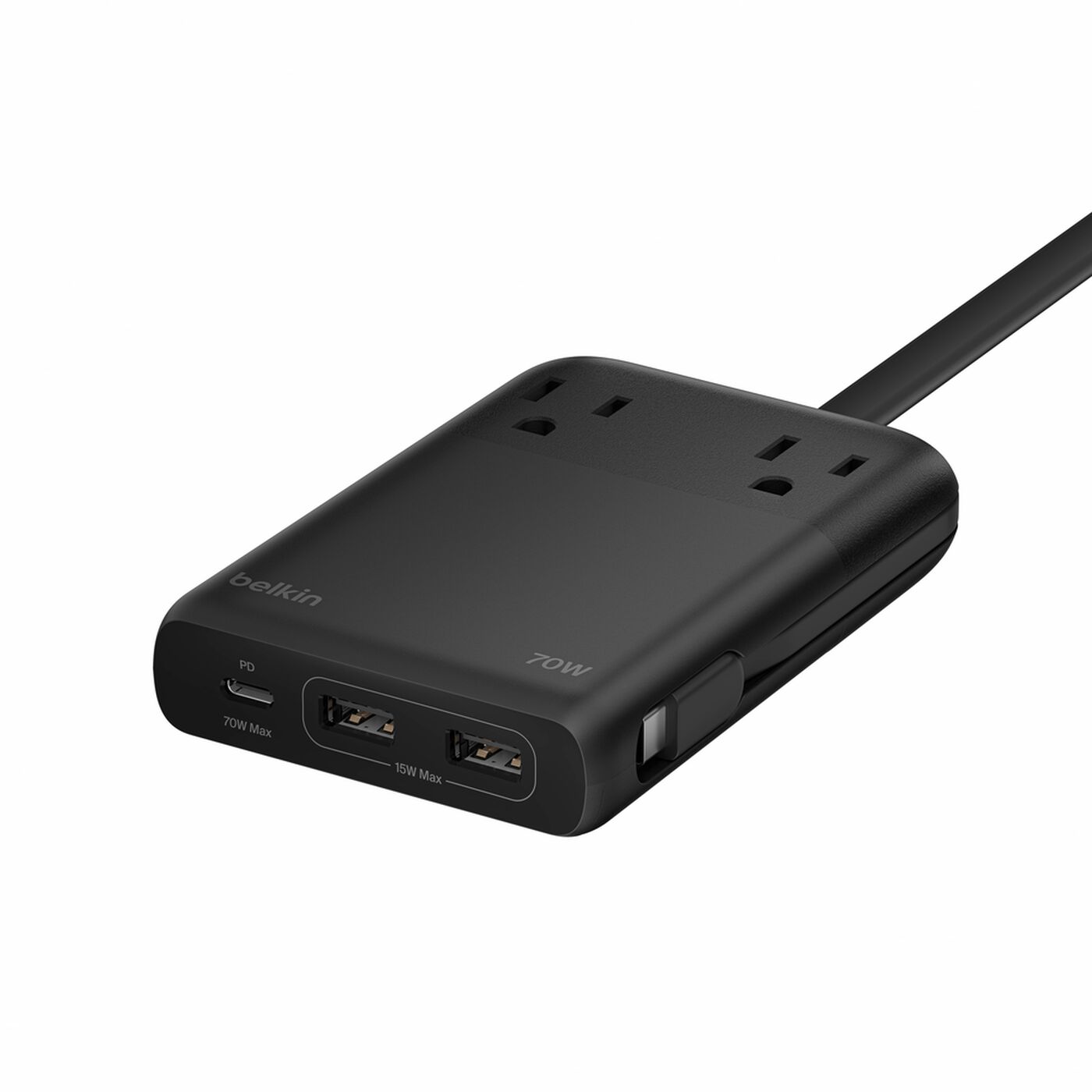
The Belkin wins on restraint. Its two AC outlets cover an old camera charger or another plug-in device that a USB-C charger cannot replace. The front USB-C port or the attached 10-inch USB-C cable can provide up to 70W when used alone, while two USB-A ports handle older accessories. The 70W budget is shared when multiple USB ports are active.
That layout is more useful than chasing the highest port count. The attached cable keeps one less loose cable in your pouch, the five-foot power cord reaches awkward hotel outlets, and the 4.72 × 2.95-inch body is shorter than the Anker. At 0.9 pounds it is not ultralight, but it replaces enough separate pieces to make sense for a mixed USB-and-AC kit.
There are two caveats. This US model accepts 100–125V input, so it is not the strip to take into a 230V outlet with a simple plug adapter. It also has no surge protection. Belkin describes it as suitable for cruises, but individual cruise lines can still set stricter rules; check your line before packing it.
Read our Belkin SRZ002 70W review for the model-specific take.
Best for: A one-laptop kit that still includes one or two AC-powered devices.
Best for High-Power Laptops: Anker Prime A9128 140W
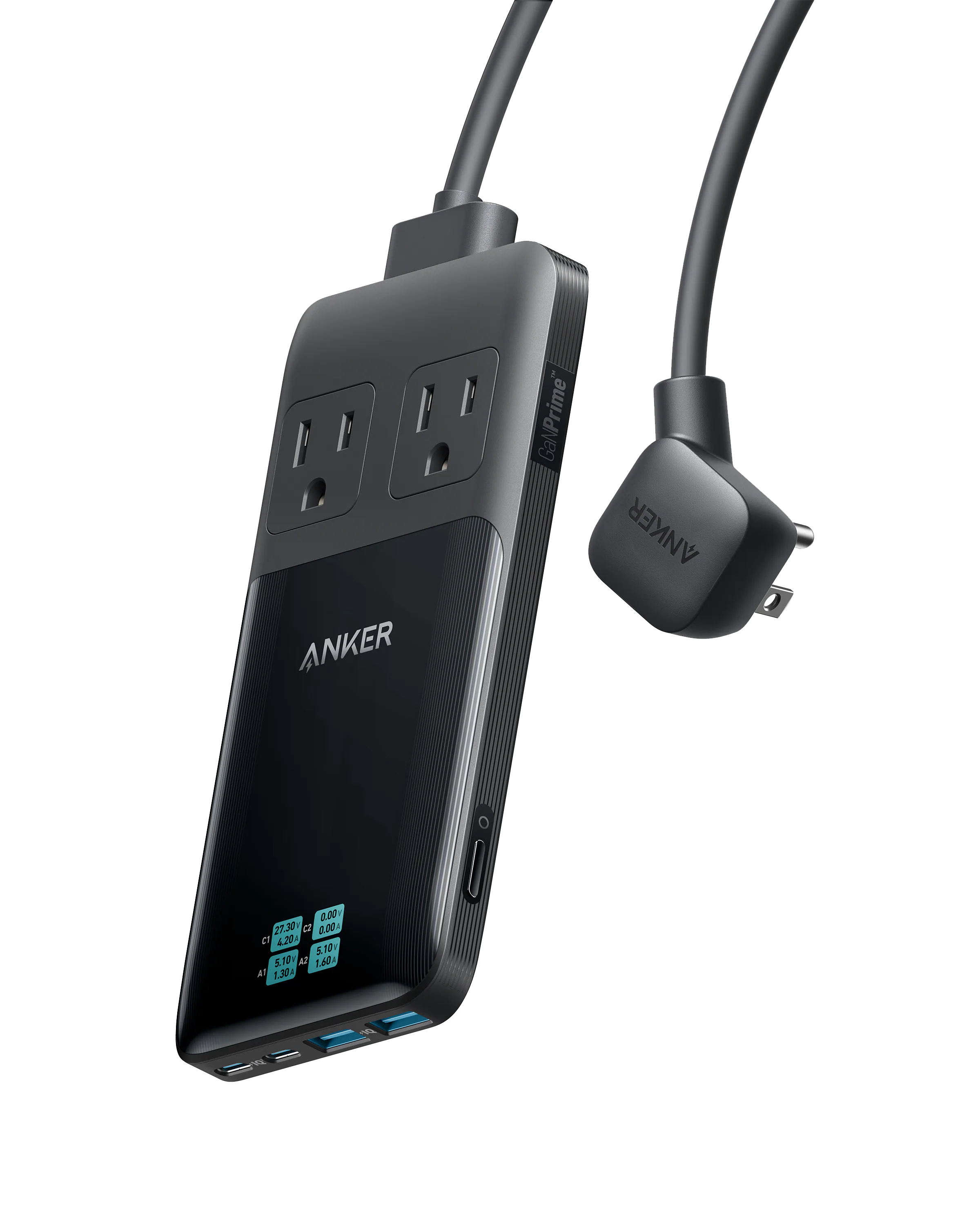
The Anker earns the larger footprint with a much stronger USB power budget. Either USB-C port can deliver 140W by itself with a compatible 5A E-Marker cable. Use both USB-C ports and the split is 65W plus 65W, which is the useful distinction for two laptops. With all four USB ports active, Anker lists 65W and 60W across the two USB-C ports plus 15W shared by the two USB-A ports.
It still gives you two AC outlets, a detachable five-foot cord, and a screen that shows live port output. The slim 0.7-inch body is easy to slide beside a laptop, but 6.3 inches long and 16.2 ounces is closer to a desktop station than a minimalist charger.
Anker explicitly says the USB charger accepts 100–240V input, but its AC outlets are rated for 125V AC, 60Hz, 10A. That means the USB side can travel with the right plug adapter; the AC outlets are not a universal-voltage shortcut. The station does not convert voltage and has no surge protection.
Best for: A laptop that can use more than 70W, or two laptops that each need a meaningful USB-C allocation.
When You Should Skip the Power Strip
If every device in your bag charges over USB-C, neither pick is especially compact. A wall charger such as the Nomad 65W Slim Adapter packs flatter, and a long 240W USB-C cable can solve the same badly placed hotel-outlet problem with less weight.
The Anker Travel Charging Station 150W is the USB-only middle ground. It has four USB-C ports and two USB-A ports, but no AC outlets. That makes it a charging station, not a power strip. It is useful only if a shared 150W budget and several front-facing ports fit your kit better than one compact wall charger.
A universal travel adapter solves another problem: changing plug shapes across countries. These strips use North American plugs and do not convert voltage. Adding a plug adapter does not change the voltage limits printed on the strip or the device connected to it.
Which USB-C Travel Power Strip Should You Buy?
Buy the Belkin SRZ002 70W if you need AC outlets and one laptop-class USB-C output in the smallest sensible package. Its built-in cable and shorter body make it the better default.
Choose the Anker Prime A9128 140W when the USB power split is the reason you are carrying a strip. One 140W laptop or two 65W laptops can justify its extra length. If neither description matches your setup, skip the strip and take a smaller charger.
Sources
- Belkin SRZ002 product page, official support FAQ, and manufacturer sales sheet
- B&H specifications for the exact Belkin SRZ002TT5
- Anker Prime A9128 product page and official user manual
Affiliate disclosure: We may earn a commission if you buy through our links at no extra cost to you.