Royal Caribbean USB Charger Rules: What to Pack
Royal Caribbean permits marked device and USB chargers by exception, not power strips. Separate USB-only chargers from outlet multipliers before packing.
Pack a USB-only wall charger, not a power strip, for Royal Caribbean. The line's public prohibited-items policy, checked November 7, 2026, makes an exception for device and USB chargers carrying recognized U.S. or European conformity certification. It prohibits power strips, multi-plug outlets and extension cords. Security retains the final decision; this is not a guarantee that a particular charger will pass inspection.
For a phone, tablet and USB-C laptop, adding AC sockets usually solves a problem you do not have. Start with the devices you need to charge together, then choose a charger and cables for that load.
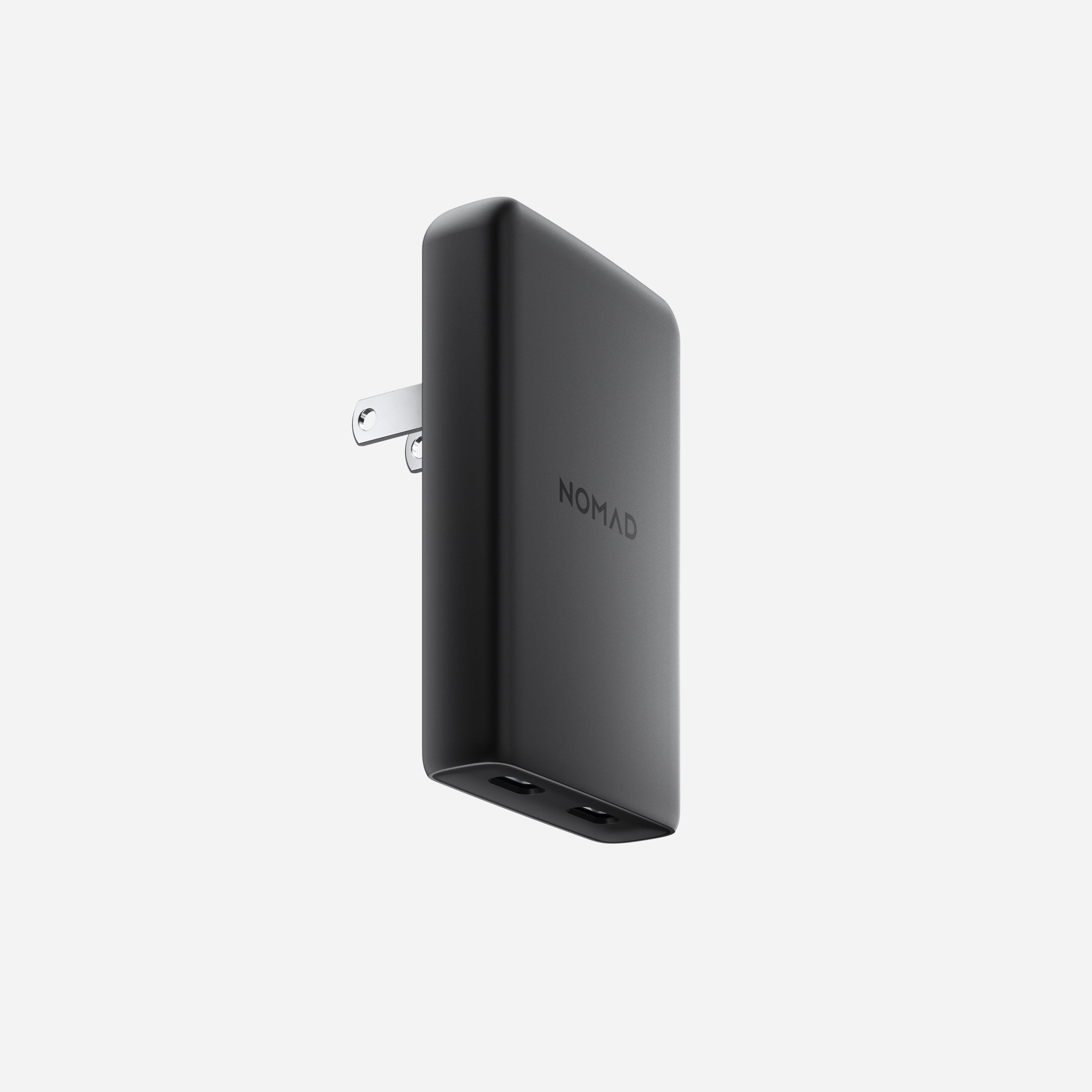
USB ports are not extra wall outlets
Look at what the device lets you plug in:
- USB-only wall charger: plugs into the wall and provides USB charging ports for cables. This is the simpler packing choice for an all-USB kit.
- Power strip or outlet multiplier: gives you additional AC sockets for other plugs. USB ports on the same body do not make those sockets disappear.
- AC extension cord: moves the wall connection farther away. A USB cable between your charger and phone is not an AC extension cord.
“Non-surge” does not turn a power strip into a USB charger. Nor does a seller's “cruise approved” label establish Royal Caribbean's permission. Our USB-C travel power-strip guide covers hotel-style charging setups, not a Royal Caribbean packing list.
What about adapters with one AC socket and USB ports?
Do not assume a mixed AC-and-USB travel adapter gets the same treatment as a USB-only charger. Royal Caribbean's public FAQ does not settle every combined design or state a numerical USB-port allowance. That is not proof of unlimited ports, either.
Before packing an ambiguous adapter, check your current sailing instructions or ask Royal Caribbean about the exact model. A past passenger's experience, a four-port rule quoted elsewhere, or another cruise line's policy is not a substitute. If you do not need the AC socket, leave that uncertainty out of the kit.
Choose output for your devices, not the biggest port count
Write down what actually needs charging at once. Two phones are a different job from a laptop, phone and tablet. There is little point carrying six ports if you only use two.
Check the charger's shared-output table, not just the wattage printed on the front. A high single-port rating does not mean that same power remains available to your laptop when a second device is connected. Match the laptop's charging requirements and the other devices' needs to a supported port combination. Charging accessories at a different time can keep the kit smaller.
Our compact USB-C charger guide helps compare those trade-offs; it is not a list of cruise-line-approved products. Before departure, check the actual charger's markings and manual rather than relying on a listing photo.
Pack the cable reach you need
Take the correct connectors for each device, including a watch puck or older charging cable where needed. For a laptop, the cable must support the power you intend to use; a USB-C connector alone does not establish that rating.
A longer USB cable can give you more reach without packing an AC extension lead. Choose the length for your use, not an assumed cabin outlet location. Our travel USB-C cable guide covers cable choices.
Check the charger's INPUT rating against the supply you plan to use, too. A plug adapter changes fit, not voltage; our adapter-versus-converter guide explains that separate check.
Before zipping the pouch, confirm three things: no unnecessary AC outlets, charger markings you can read, and enough suitable cables for the devices you actually brought. Keep the current Royal Caribbean policy and your sailing instructions as the final packing reference. The travel charging hub can help with the rest of the kit.